TLDR
Polishing the React proof of concept so that it can be a standalone project that is “finished” and does not take up more of my time. Creating a clean design for a single interactive use case (player placing a road). Creating a clean design for optimistically updating the UI and then syncing with server state.
Landing page.
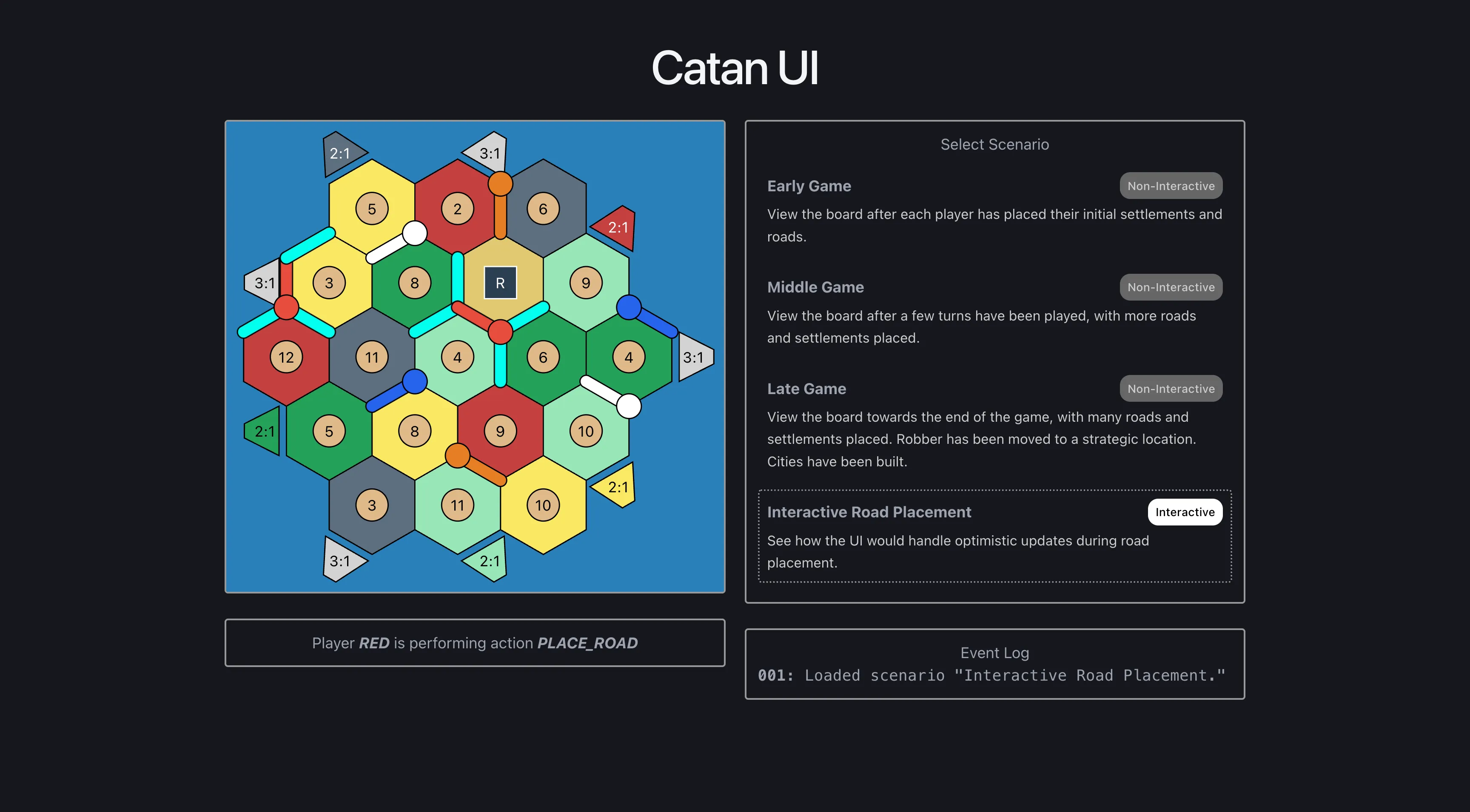
User can select a location to place a road.
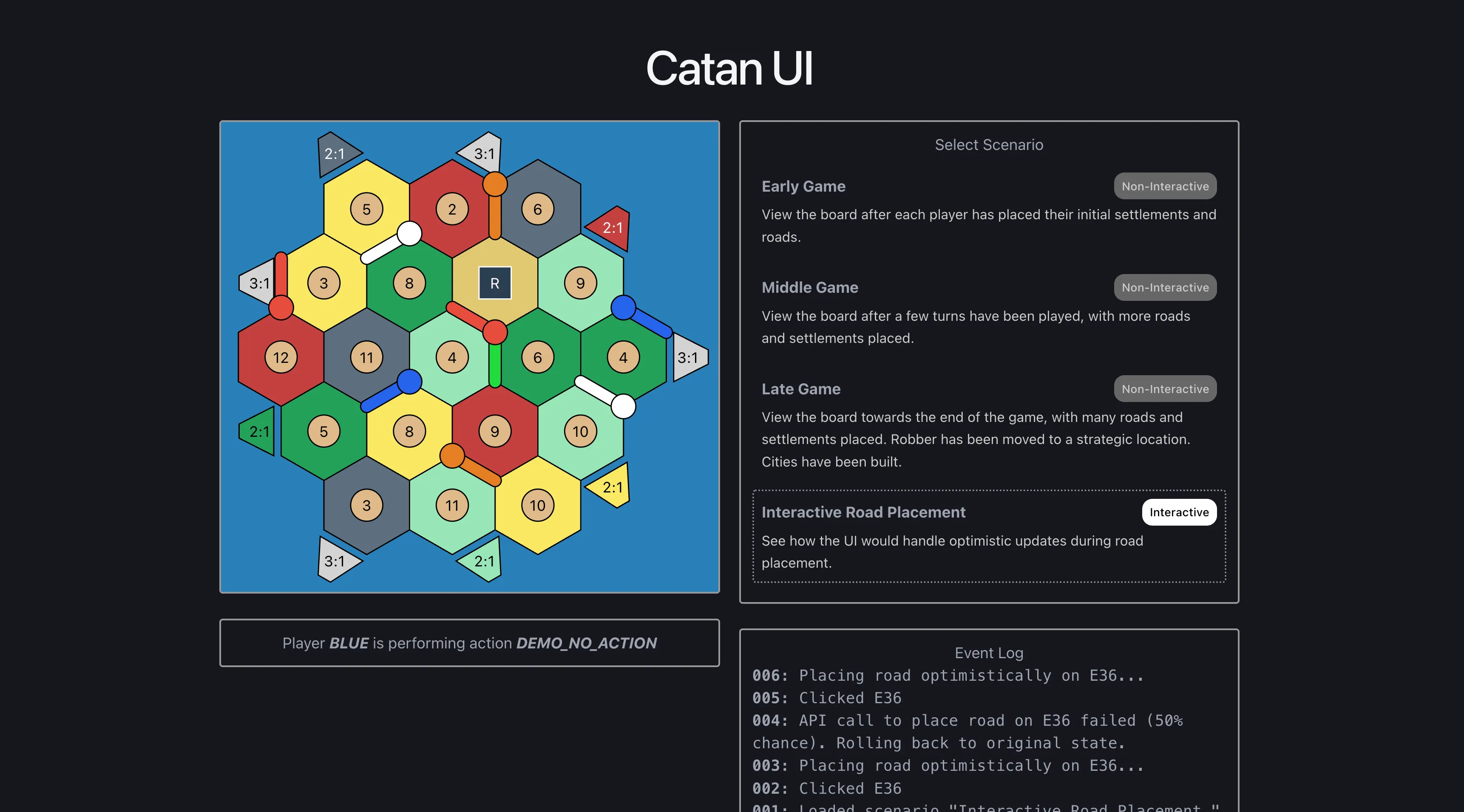
UI has optimistically updated and placed a road in the desired location.
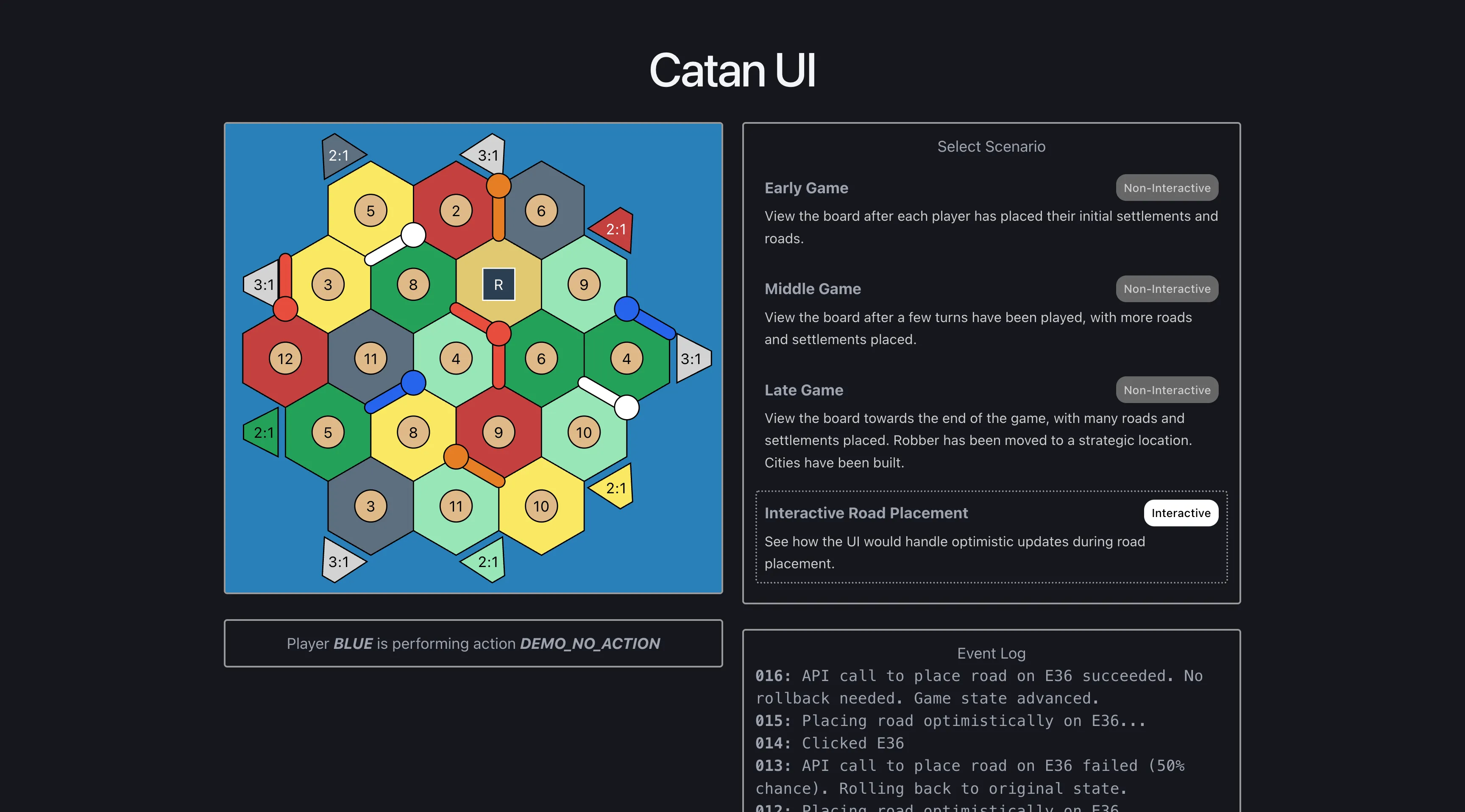
UI syncs its state with the backend server response, either removing the placed road or validating it.
if (await mockPlaceRoad()) {
  // change to final road color and keep other roads removed
  setPendingRoadColor(BoardColor.PLAYER_RED);
  setGameStateOverride({
    currentAction: GameAction.DEMO,
    currentPlayer: PlayerColor.BLUE,
    removedEdgeIds,
  });
  updateActivityLog(
    `API call to place road on ${edgeId} succeeded. No rollback needed. Game state advanced.`
  );
} else {
  // revert everything to original state
  setPendingRoadId(null);
  setPendingRoadColor(null);
  setGameStateOverride({});
  updateActivityLog(
    `API call to place road on ${edgeId} failed (50% chance). Rolling back to original state.`
  );
}
Main work
- Refactoring React logic to cleanly distinguish between external game state and internal board rendering state.
- Consolidating road placement logic into a dedicated hook.
- Adding additional state variables to track road placement.
- Resolving differences between UI state and backend state.
- Adding styling to components to indicate a player can take an action.
- Cleaning up responsive layout styling.
- Adding an “Activity Log” to make demo features more apparent to users.
- Adding additional scenarios for the user to select, each of which demonstrates more complex game state.
Challenges
- Synchronizing state between clients and backends is always challenging.
- The demo logic could be massively simplified since it only supports a hardcoded scenario and is not concerned with edge cases.
Learnings
- React hooks are key to keeping React applications modular and maintainable.
- Claude Code can expedite refactoring efforts, especially if you provide it a testing loop or build loop.
- Make incremental change, check for successful build, check for passing tests, repeat.